K8 (Kate)
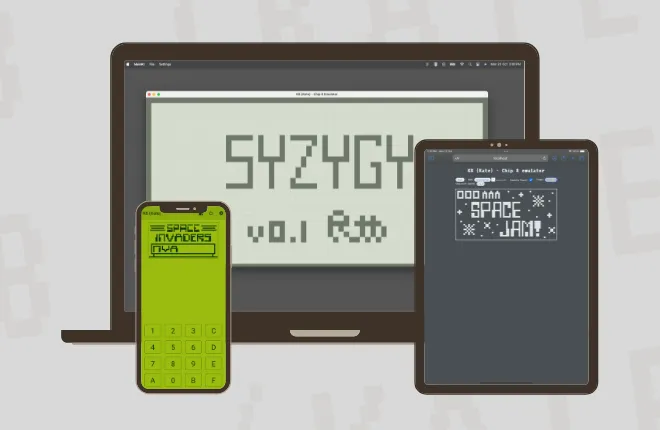
A CHIP-8 and SUPER-CHIP emulator in Kotlin Multiplatform, running on Android, iOS, desktop and the web from one codebase.
- Status
- Finished
- Stack
- Kotlin Multiplatform · Compose · SwiftUI · Coroutines · TypeScript
What it is
CHIP-8 is a tiny virtual machine from the 1970s, and writing an emulator for it is a classic way to learn how computers run code. K8 runs CHIP-8 and SUPER-CHIP programs, including SUPER-CHIP’s high-resolution mode and scrolling.
How it’s built
- Front ends
- Thin: each one only draws the screen, plays the beep and listens for keys. Everything else lives in the shared core. The web one is this page: the core compiled to JavaScript, with the screen, keypad and beep written in TypeScript.
- Timing
- One coroutine, a frame at a time: 16 instructions, then a tick of the 60 Hz timers, so about 960 instructions a second. It used to wait a millisecond after every instruction, which browsers stretch to four, so the web version ran at a quarter speed.
- Quirks
- A set per variant: the original CHIP-8, two flavours of SUPER-CHIP and XO-CHIP. For now everything runs as modern SUPER-CHIP; picking the right set per game is the next step.
The hard parts
The draw instruction. DXYN is the most complex instruction in CHIP-8. It reads a sprite from memory and XORs it onto the screen, flipping every pixel it touches, and sets the VF register if a pixel that was on gets switched off. Every source I read, from Cowgod’s technical reference to Tobias Langhoff’s guide, described it a little differently: whether sprites wrap at the edge of the screen or get clipped, and exactly when the VF flag gets set. I got there by trial and error, and by reading other emulators’ source code.
Passing the test suite. The same trouble came back with Timendus’ CHIP-8 test suite. A few instructions are documented differently in different places, and the tests expect one behaviour. Working out which, one failing test at a time, is how I came to understand quirks.
Coroutines on every platform. Kotlin Multiplatform was still young then. The core streams the screen and sound as coroutine flows, which Swift can’t easily read, so iOS goes through KMP-NativeCoroutines, then in alpha, to turn each flow into a Swift async sequence. Learning those bindings was challenging but fun, and worth every bit of the effort.
What I learned
- How a CPU runs a program. The fetch, decode, execute loop: the program counter points at the next instruction in memory, the first nibble says which operation it is, and the rest are its operands: a register, an address or a number. Building it showed me why instruction sets exist, and it’s the same loop that modern CPUs run, scaled up.
- How the hardware around it talks to the CPU. Two timers count down 60 times a second, one for delays and one that sounds the beep until it reaches zero. Key presses land in a keypad the program checks or waits on. On the original machine, drawing waits for the screen’s next refresh, much like an interrupt.
- How each pixel is drawn. The screen is just a buffer in memory, one bit per pixel, and the front end paints whatever is in it.
- Quirks. The spec is short, and the machines that implemented it disagree on the details: whether a shift reads one register or two, or whether a jump adds
V0orVX. A game written for one breaks on another. - A little assembly along the way.
Having built one, I know how I’d go about writing another emulator.